Mac and Windows remote control, from your phone. Answer your agent without going back to your desk.

A real remote for your Mac or Windows PC — live terminal sessions, clipboard, apps, media. Paired with one scan, encrypted end to end, no account to make.

Android, in closed testing — the Play link opens once it is public · iOS next · Free agent for macOS 14+ and Windows 10/11 (beta)

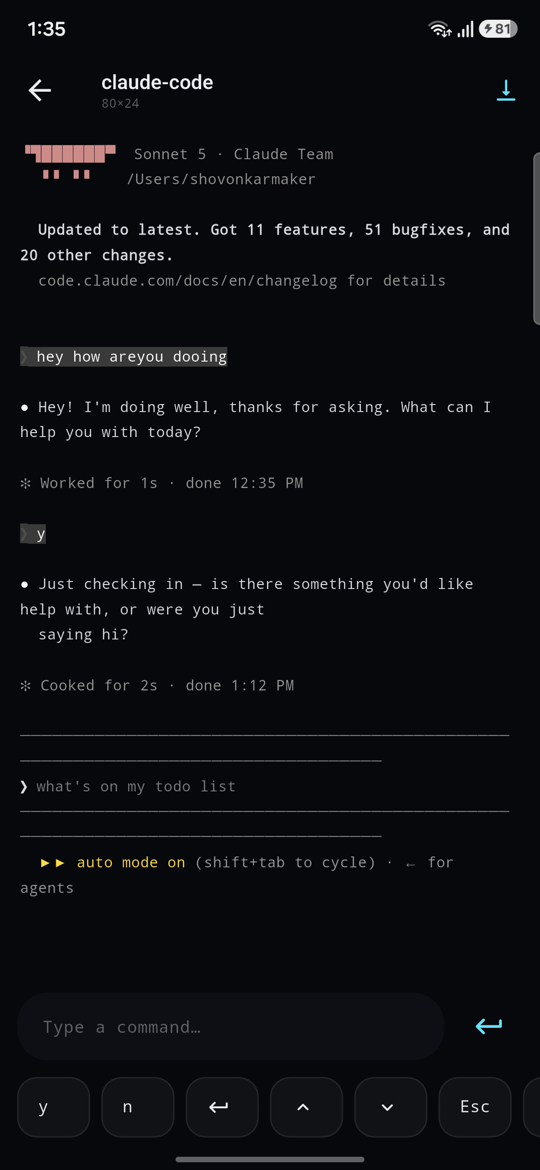
A live agent session open on a phone, with a text field and y, n and Escape keys
claude-code — 80×24
❯ claude "ship the release" · Running the test suite… ✓ 292 passed in 6.7s This will publish to production. Continue? (y/n) yfrom your phone ✓ Live. You never got up.

what it does

Not a screen mirror. A remote control.

Remote desktop hands you a 27-inch screen on a 6-inch phone. This hands you the four things you actually reach for when you are not at the desk.

Answer your agent

Attach to the terminal sessions running on your computer and watch the scrollback as it happens. Type into them. Say yes to the prompt, run the next command, and let the work carry on.

A live Claude Code session on the phone, with a text field and y, n and Escape keys

Everything on one deck

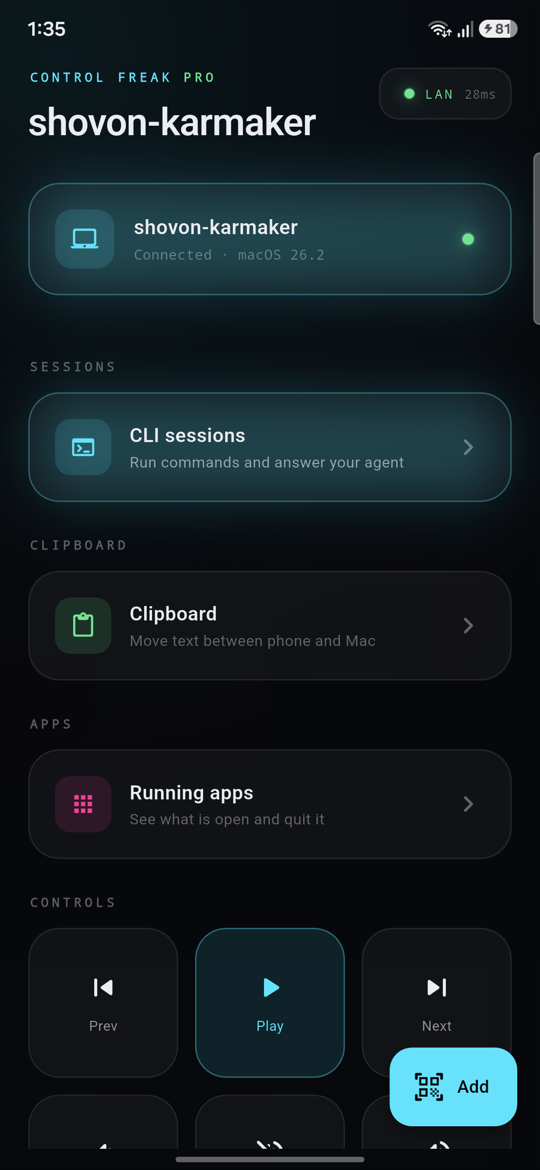
Volume, mute, brightness, media keys, lock, sleep, shutdown and restart — with the computer's real state, so Mute knows whether it is muted. Latency is on screen, because you should be able to see the thing is live.

The Control Freak deck, connected over LAN at 28 milliseconds

See what is running, and close it

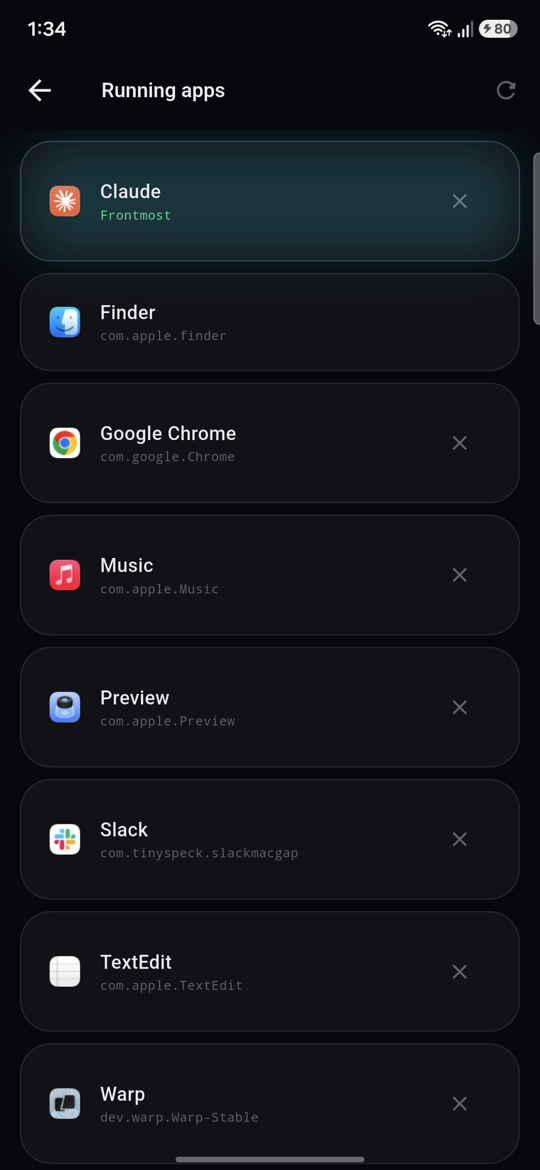
Every open app with its real icon, the frontmost one marked as it changes, and a quit button for the ones that should not be open.

Running apps on the computer, listed on the phone with their real icons

Start a session from the phone

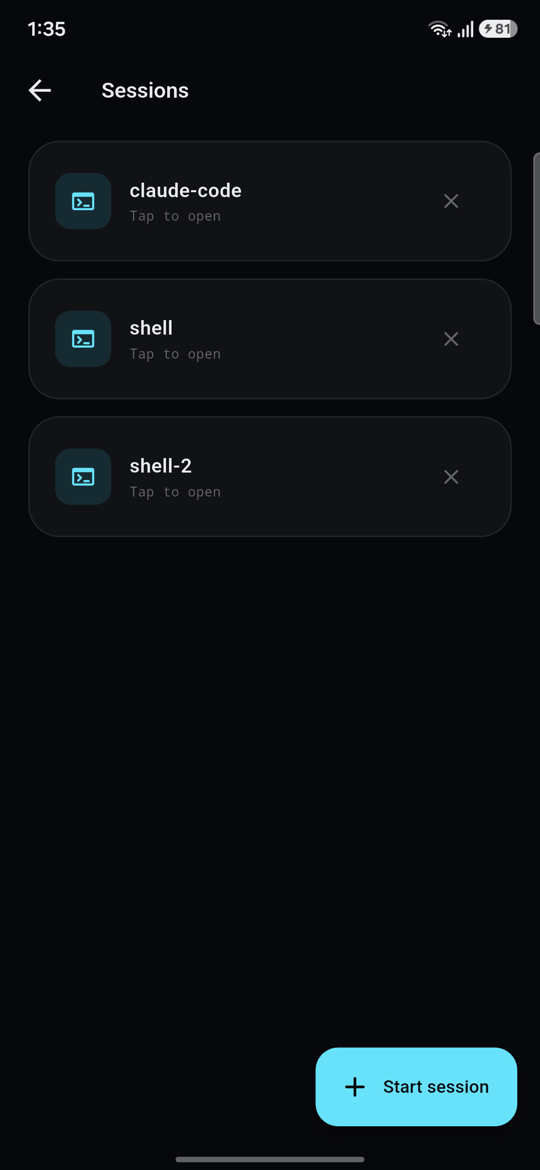
Pick up the sessions already running, or start a new one — a shell, or your agent — without touching the keyboard.

The session list, showing claude-code, shell and shell-2

security

It controls your computer. So here is exactly how it works.

An app that can type into your terminal has to earn it. Nothing here is a claim you have to take on faith.

pinned at pairing

The QR carries your computer's key fingerprint. Your phone pins it from then on, so there is no window where something else can answer in its place.

encrypted end to end

X25519 and Ed25519, with every frame sealed. Your keystrokes and clipboard are readable by your two devices and nothing else.

no account, no cloud

No sign-up, no email, no analytics, no tracking. Your phone talks to your computer over your own network, directly.

revoke from the computer

Every paired phone is listed in the agent, in the Mac menu bar or the Windows tray. Revoking one drops its connection immediately, not at its next request.

verified ✓ 292 tests across the app, the agent and the protocol

pricing

Free to use. Pro when you want to type.

The free app is not a trial. Watching your agent sit blocked on a prompt is just a very good argument for the upgrade.

Free

  • One paired computer
  • The full control deck
  • Clipboard both ways
  • Apps and now playing
  • One custom app remote
  • Read a live session

Pro

  • Type into live sessions
  • Every app remote
  • As many computers as you like
  • Everything in Free

Requires the free Control Freak agent on macOS 14 or later or Windows 10/11, and both devices on the same Wi-Fi.

faq

Questions people ask first.

What is Control Freak?

Control Freak turns your Android phone into a remote control for your Mac or Windows PC. You can watch and type into terminal sessions, answer your AI coding agent's prompts, control volume, brightness, media, sleep and shutdown, move text between the clipboards, and open, switch to or quit apps. It is not a screen mirror: nothing is streamed, so it stays fast on a phone.

How do I control my Mac or PC from my Android phone?

Install Control Freak on your phone and the free Control Freak agent on your computer (macOS 14 or later, or Windows 10 or 11). Open the agent from the menu bar on a Mac or the notification area on Windows, choose Pair a phone, and scan the QR code. Both devices need to be on the same Wi-Fi.

Can I answer Claude Code prompts from my phone?

Yes. Start your agent in a session from Control Freak and the phone shows its scrollback live, so you can see the moment it stops to ask a question and answer it with y, n, Escape or a typed reply. Reading a session is free; typing into it is part of Pro. It works for any command-line agent or shell, not only Claude Code. On a Mac, sessions run in tmux, which needs to be installed; on Windows they run in PowerShell with nothing extra to install.

Is Control Freak a remote desktop app?

No. Remote desktop apps squeeze a whole desktop onto a phone. Control Freak gives you purpose-built controls for the things you actually reach for away from the desk, which is why it stays usable on a small screen.

Does it work away from home, over mobile data?

Not yet. Your phone talks directly to your computer over your own network, so both need to be on the same Wi-Fi. There is no cloud relay in the middle.

Is Control Freak free?

Yes. The free app pairs one computer and includes the full control deck, clipboard both ways, apps, now playing, one custom app remote, and read-only live sessions. Control Freak Pro adds typing into live sessions, every app remote, and pairing as many computers as you like.

Is it safe to let a phone control my computer?

Pairing pins your computer's cryptographic key fingerprint from the QR code, and every message is encrypted end to end with X25519 and Ed25519, readable only by your two devices. There is no account, no analytics and no tracking, and you can revoke any paired phone from the agent at any time.

Which computers and phones are supported?

The agent runs on macOS 14 or later, on Apple silicon and Intel Macs, and on 64-bit Windows 10 or 11 (in beta). The phone app is for Android, with iPhone coming next.